
Blog
Technical SEO Checklist for Developers (2026 Edition)
A technical SEO checklist for developers: crawl, index, render, Core Web Vitals, and schema fixes for Laravel, WordPress, and Next.js.
Muhammad Zubair Akhtar
I build Laravel, WordPress, and Next.js sites from Lahore, and the ranking conversations I get pulled into almost always start with a broken URL. This technical SEO checklist is the pass I run before anyone talks about content or links. It has five stops, in this order: crawl, index, render, Core Web Vitals, and schema. If an earlier stop fails, I do not spend the afternoon on a later one.
A page that returns the wrong status, the wrong canonical, or an empty HTML shell will not be saved by a green Lighthouse run on my laptop. The checks below are the ones I can paste into a repository and re-run after the next deploy. They are also the implementation work behind my technical SEO services: the response a crawler gets, not a slide of scores.
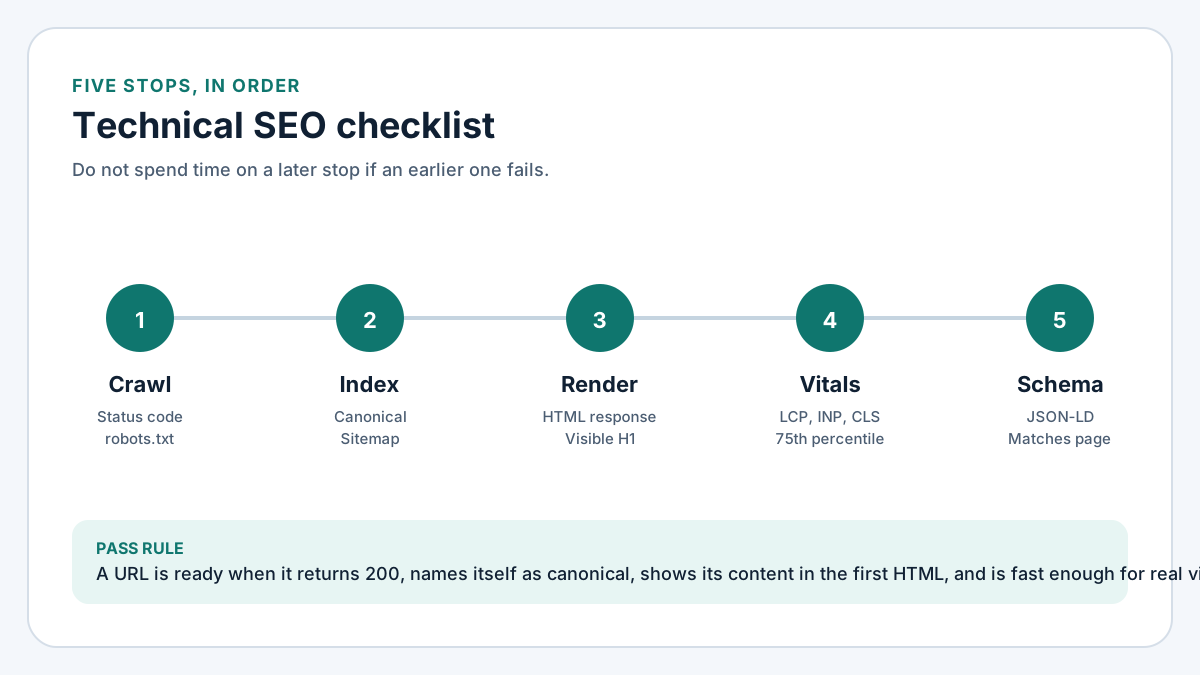
Figure 1. Technical SEO checklist flow from crawl and index through render, Core Web Vitals, and schema.
The technical SEO checklist, in the order I run it
- Crawl. Can Googlebot fetch the URL, and does robots.txt allow that fetch?
- Index. Is this the one URL that should represent the content, with a canonical, a clean status code, and a sitemap entry only if it should be stored?
- Render. Is the primary content in the HTML response, or only after a client bundle runs?
- Core Web Vitals. On the template real visitors hit, are LCP, INP, and CLS in the good range at the 75th percentile?
- Schema. Does the JSON-LD describe what a person can actually see on the page?
That sequence is the technical SEO audit I run with clients. The snippets below are the copy I keep beside it.
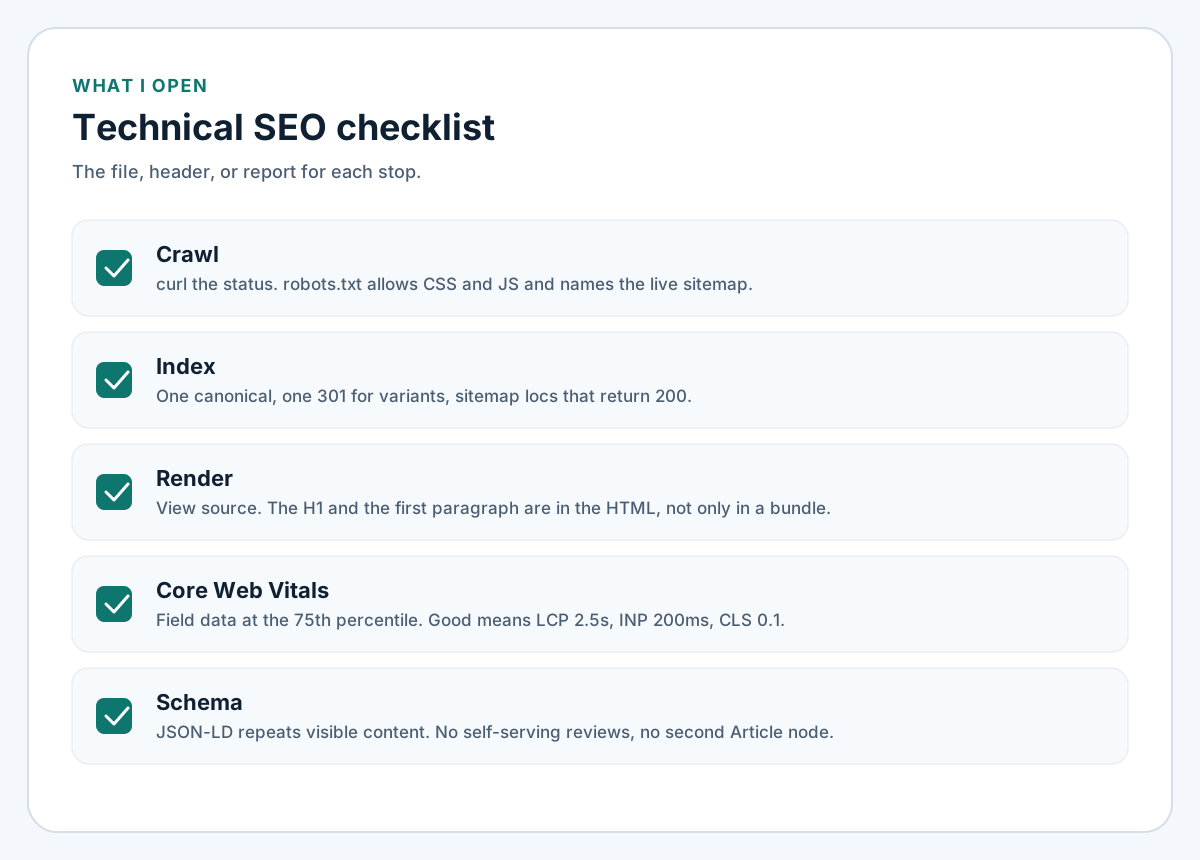
Figure 2. The file, header, or report I open for each stop on the technical SEO checklist.
Crawl: make the URL fetchable
Request the URL with curl and read the status before the HTML. I want 200 for a real page, 301 when the host or path is the wrong variant, and 404 or 410 when the URL should not exist. A 200 on a soft-404 template is still a crawl problem. Repeat the request with a Googlebot user agent. If the status changes, the site is cloaking, and the rest of this list can wait.
robots.txt that does not hide the site
This is the file I ship when the public site should be crawled and the sitemap is the discovery list:
User-agent: *
Allow: /

Sitemap: https://example.com/sitemap.xml
Three mistakes show up on inherited projects. Disallow: / left over from staging. Blocking CSS or JavaScript (Disallow: /build/ or Disallow: /wp-content/themes/), which stops Google rendering the page. And blocking spam paths you want dropped. If Googlebot is disallowed, it never sees a 410 or a noindex header. I wrote that up for this domain in how I removed hacked spam URLs from Google. Leave the junk crawlable, and answer it with 410 Gone.
On Laravel, a static public/robots.txt wins over a route of the same path. When the file should come from config, this is the route I use:
Route::get('/robots.txt', function () {
    $body = implode("\n", [
        'User-agent: *',
        'Allow: /',
        '',
        'Sitemap: '.rtrim((string) config('app.url'), '/').'/sitemap.xml',
    ]);

    return response($body, 200, [
        'Content-Type' => 'text/plain; charset=UTF-8',
    ]);
});
APP_URL has to be the production origin, or the sitemap line points at localhost. After deploy I open /robots.txt on the public host. Admin paths can be disallowed, and they should also send noindex if a template links to them. Faceted ?sort= URLs belong in the index decision, not in a disallow list.
Index: one URL for each thing
Crawl asks whether the bot can get here. Index asks whether this URL should be the one stored in Google.
The same article often exists with and without a trailing slash, on http and https, on www and the apex, and with a tracking query. I pick one form, 301 the others in a single hop, and print a canonical that matches it: scheme, host, path, and slash policy. Internal links use that same string.
Canonical tag
In a Laravel Blade layout I pass a root-relative path so the query string cannot leak in:
<link rel="canonical" href="{{ url($canonicalPath) }}">$canonicalPath is something like /services/seo. I do not call url()->current() here. Current includes the query string, and a canonical of ?utm_source=newsletter splits one page into a copy per campaign.
For responses that are not Blade, Google also accepts a Link header:
<?php

namespace App\Http\Middleware;

use Closure;
use Illuminate\Http\Request;
use Symfony\Component\HttpFoundation\Response;

class CanonicalLink
{
    public function handle(Request $request, Closure $next): Response
    {
        /** @var Response $response */
        $response = $next($request);

        if (!$request->isMethod('GET') || !$response->isSuccessful()) {
            return $response;
        }

        $canonical = rtrim($request->getSchemeAndHttpHost(), '/').$request->getPathInfo();
        $response->headers->set('Link', '<'.$canonical.'>; rel="canonical"', false);

        return $response;
    }
}
Register it on the web group, not on API routes you do not want indexed. The third argument false appends a Link value instead of wiping a pagination header. getPathInfo() drops the query string. Behind a TLS terminator, trust the proxy, or Laravel will canonicalize http:// and disagree with every HTTPS visit.
On Next.js App Router pages I set the same contract in metadata, slash-free, as a path. This site does it per route:
export const metadata = {
  alternates: {
    canonical: "/services/seo",
  },
};
The metadata base URL supplies the origin. That path has to match the sitemap loc and the links in the layout. If a WordPress SEO plugin already prints a canonical, I do not add a second tag in the theme. Two canonicals contradict each other.
Sitemap entries
A sitemap is a hint. I only list URLs that return 200, are indexable, and already use the canonical host:
<?xml version="1.0" encoding="UTF-8"?>
<urlset xmlns="http://www.sitemaps.org/schemas/sitemap/0.9">
  <url>
    <loc>https://example.com/services/seo</loc>
    <lastmod>2026-10-06</lastmod>
  </url>
</urlset>
lastmod should change when the content changes. I would rather omit it than stamp every URL with the deploy time. I leave out noindex URLs, redirects, 404s, and faceted filter combinations. On a store, ?color= and ?size= pairs can bury the product under thin locs. I keep the sitemap on the templates that should rank, which is part of the ecommerce development work.
WordPress core sitemaps are on unless something disabled them. If an SEO plugin also publishes one, I keep a single index and point robots.txt at that file.
Status codes I treat as index signals
200means the URL is a candidate.301means the target is the candidate. I flatten chains.404means not found right now. Right for a typo.410means gone on purpose. I use it for spam and for retired URLs I never want back.
noindex is for a URL that must stay reachable, such as a cart or a thin archive, but should not be stored as a result. I do not combine it with Disallow. The bot has to crawl the tag to see it.
WordPress functions.php
This is the no-plugin version I add when date archives, author archives, or attachment pages are getting indexed. WordPress already noindexes internal search. I skip the filter when Yoast, Rank Math, or another plugin already owns the robots tags.
add_filter('wp_robots', function (array $robots): array {
    if (is_date() || is_author() || is_attachment()) {
        $robots['noindex'] = true;
    }

    return $robots;
});

add_action('template_redirect', function (): void {
    if (!is_attachment()) {
        return;
    }

    $parent = wp_get_post_parent_id(get_queried_object_id());
    if (!$parent) {
        return;
    }

    wp_safe_redirect(get_permalink($parent), 301);
    exit;
});
The redirect sends an attachment URL to its parent post. The noindex covers attachments with no parent, plus author and date archives that can stay reachable for people. Put this in a small custom plugin if a theme update would wipe functions.php.
Render: put the content in the first HTML
If view-source shows an empty root node and the title is still "Loading", the page depends on JavaScript for its primary content. Google can render JavaScript. The rendered queue is slower, and it fails on a broken bundle, a consent gate that never resolves for the bot, or a client fetch that assumes a cookie.
I curl the URL and look for the H1 and the first paragraph in that response. If they are missing, I fix rendering before schema. Markup that describes text the server never sent is a claim about a different page.
On Next.js I want the indexable text in the server response. A client component can own a filter. It should not own the only copy of the description. Set the title and canonical in metadata or generateMetadata so those tags exist before client code runs.
On WordPress, a theme that prints the_content() in PHP is already in good shape. Builders that inject the article in a second request are not. When that is the indexing problem, the fix is in the theme, the same work I take as a WordPress developer. Disable JavaScript and reload: the H1, the intro, and the main links should still be there.
Core Web Vitals on the template you ship
Core Web Vitals are field data. Lighthouse on a laptop is only a lab hint. Search Console uses Chrome User Experience Report numbers at the 75th percentile, mobile and desktop separately. The good thresholds I still code against in 2026 are Google's: LCP at or under 2.5 seconds, INP at or under 200 milliseconds, and CLS at or under 0.1. All three have to be in the good band. I judge the shared template, because a header change hits every layout that uses it.
LCP
The LCP element is usually the hero image or the H1. I set width and height, compress the file, and I do not lazy-load that element. Preload the one font that paints the heading, not every weight. If the HTML waits on several sequential queries, fix that before you touch the image. A slow first byte will not stay under 2.5 seconds at the 75th percentile.
INP
INP replaced FID. It catches a page that paints and then ignores the first tap. I defer tag managers, chat widgets, and unused client code. A static article does not need a page builder's editor runtime.
CLS
Unsized images, a banner injected above the content, and a late related-posts block are the usual causes. Width and height, a reserved slot, and a fallback font with close metrics are the fixes I trust. Shifts that happen after the load still count.
Cache headers that help LCP
Fingerprinted Laravel Vite files can be cached for a year. This middleware only touches the build directory. It does not cache HTML.
<?php

namespace App\Http\Middleware;

use Closure;
use Illuminate\Http\Request;
use Symfony\Component\HttpFoundation\Response;

class ImmutableBuildAssets
{
    public function handle(Request $request, Closure $next): Response
    {
        $response = $next($request);

        if ($request->is('build/*') && $response->isSuccessful()) {
            $response->headers->set(
                'Cache-Control',
                'public, max-age=31536000, immutable'
            );
        }

        return $response;
    }
}
Leave HTML on a short lifetime you can purge. A year-long cache on a logged-in document can leak one account page into a shared cache. I ship this header with the canonical middleware as part of Laravel development. On Next.js I cache hashed files under /_next/static/ for a long time, and the document briefly, so an old canonical does not outlive the fix.
Schema that matches the page
Structured data does not rank a URL that failed crawl or index. I add it last, and only for types the visitor can see.
FAQPage is honest when the questions are visible. Google has limited FAQ rich results, so I do not add it to chase a search dropdown. The question below uses the same words as the first FAQ on this page:
<script type="application/ld+json">
{
  "@context": "https://schema.org",
  "@type": "FAQPage",
  "mainEntity": [{
    "@type": "Question",
    "name": "What should a technical SEO checklist cover first?",
    "acceptedAnswer": {
      "@type": "Answer",
      "text": "Crawl, then index. Confirm the status code and robots.txt before canonicals, Core Web Vitals, or schema."
    }
  }]
}
</script>
The JSON-LD words match the HTML. I do not mark up self-written reviews, and I do not name a logo the template does not show. This site's article template already emits BlogPosting, so the body does not get a second Article node. Validate, then view-source production. A client-only script is not on the page Google fetched.
A deploy check I can run in one sitting
After the templates change I re-check a handful of URLs:
- Homepage, one service page, one article:
200, one canonical, H1 in the HTML. www,http, and trailing-slash variants: a single301, not a chain.- A known junk URL:
410or404, and absent from the sitemap. robots.txtallows CSS and JavaScript and names the live sitemap.- Every sitemap
locreturns200and matches its canonical. - URL Inspection on one new URL after the deploy, so the result is a fresh fetch.
FAQ
What should a technical SEO checklist cover first?
Crawl, then index. Confirm the status code and robots.txt before you edit canonicals, Core Web Vitals, or schema. Later work does not get a URL indexed if the bot cannot fetch it, or if it is told not to store the copy it fetched.
How is a technical SEO audit different from this checklist?
This checklist is the order of checks and the fixes I paste in. A technical SEO audit is that pass on one property: indexed URLs, duplicates, the template that misses LCP, and the commits that follow. A score with no repository change does not change what Google fetches next.
Do Core Web Vitals decide whether a page is indexed?
No. Indexing follows crawl, canonicals, status codes, and noindex. Core Web Vitals describe the experience after someone arrives. I still fix them in the same release, because a stored URL that shifts under the reader is an unfinished template.
Should I block thin URLs in robots.txt or mark them noindex?
If your own templates can link to the URL, use noindex and keep it crawlable so Google can read the tag. Use Disallow for areas you do not want fetched, such as admin screens. Spam and retired landing pages get a 410, not a disallow rule.
Does the same checklist apply to Laravel and WordPress?
Yes. Laravel wants middleware and Blade for the canonical and cache headers. WordPress wants the wp_robots filter, one sitemap, and PHP that prints the content. Next.js wants the canonical in metadata and the words in the server-rendered HTML.
If you want this done in the repository
I am a senior full-stack engineer in Lahore. The checklist ends as a commit: canonicals, the sitemap, status codes, and the template issues behind Core Web Vitals.
If Search Console shows duplicates, soft 404s, or indexed URLs you never published, that is the work I take under technical SEO services. I will start at crawl.